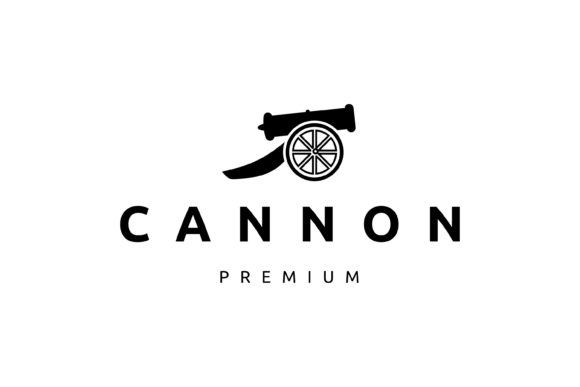
Cannon Vintage Retro Icon Logo Design
What Is the Cannon Vintage Retro Icon Logo Design?
The Cannon Vintage Retro Icon Logo Design is a vector-based graphic template that captures the nostalgic charm of classic branding styles. It’s ideal for those who want to infuse their projects with a timeless, authentic look without starting from scratch. This design includes an EPS file (Encapsulated PostScript) with 100 vector elements and a resolution of 10 inches by 10 inches, ensuring high quality and scalability.Why Choose a Vintage Style?
Vintage designs have seen a resurgence in popularity due to their ability to evoke emotion and nostalgia. Whether you’re launching a new brand, creating content for a retro-themed event, or designing merchandise, the Cannon Vintage Retro Icon Logo offers a compelling way to stand out. Its classic feel works especially well in industries like food, fashion, entertainment, and lifestyle where heritage and authenticity are valued.Key Features and Strengths
This logo design comes with several notable strengths that make it a versatile asset:
- High-quality vector format: The EPS file ensures that your design remains sharp and professional at any size.
- Customizability: You can change colors, adjust curves, remove or add elements, and reposition components to suit your needs.
- Retro-inspired visuals: The icon and overall design reflect a vintage style that’s both stylish and adaptable.
- Non-editable text included: While the text itself cannot be altered within the file, the font used can be downloaded separately for full customization.
These features make it suitable for both beginners and professionals who need a reliable, aesthetically pleasing logo without the hassle of complex design software or long development times.
Adobe Illustrator Compatibility
To achieve the best results, it’s recommended to open the EPS file using Adobe Illustrator. This powerful vector graphics editor gives you precise control over every element in the design. You’ll be able to fine-tune the cannon shape, tweak gradients, and ensure alignment across all parts of the logo.
If you're not familiar with Illustrator, there are plenty of online tutorials and community forums to help you get started. The learning curve is manageable, especially if you already work with similar design tools like CorelDRAW or Inkscape.
Real-World Applications
The Cannon Vintage Retro Icon Logo Design isn’t just for logos—it can be repurposed creatively in many ways. Here are some practical applications:
Branding Projects
Entrepreneurs launching a new business can use this template as the foundation for their brand identity. A retro cannon icon could represent strength, tradition, or even rebellion depending on the context. Pair it with vintage-style typography and color palettes for a cohesive look that resonates with customers seeking a sense of history or craftsmanship.
Event Promotion
Organizers of themed events such as retro parties, vintage markets, or historical reenactments can integrate this logo into posters, invitations, and social media graphics. The visual consistency helps reinforce the event's atmosphere and makes promotional materials more eye-catching.
Educational Materials
Teachers and educators can incorporate the cannon icon into classroom posters, presentations, or project headers when discussing topics related to history, technology, or symbolism. It adds a touch of visual interest and can serve as a memory aid for students.
Digital Content Creation
Bloggers, YouTubers, and podcasters might find this logo useful for thumbnails, channel art, or cover images. For example, a tech blog covering the evolution of weaponry or military history could use the cannon icon to instantly convey its theme. The retro vibe also appeals to audiences who enjoy throwback aesthetics in modern formats.
Commercial Use
Business owners can leverage the design for packaging, product labels, or signage. Think about a line of craft beer, a boutique selling antique goods, or a gaming store that wants to emphasize its “classic” roots. The versatility of the template means it can fit seamlessly into various commercial contexts with minimal effort.
Practical Benefits of Using This Template
Adopting the Cannon Vintage Retro Icon Logo Design brings several tangible benefits:
- Time Efficiency: Instead of spending hours designing from scratch, you can quickly adapt the existing template to meet your specific needs.
- Cost Savings: Avoid hiring a designer or purchasing multiple templates by working with a single, highly customizable file.
- Visual Consistency: The design elements are pre-coordinated, so you won’t struggle with mismatched fonts, colors, or shapes.
- Professional Appearance: The polished look of the template ensures your final output looks credible and visually appealing.
- Brand Recognition: A unique yet classic icon can become a memorable part of your brand’s identity, helping with customer recall and loyalty.
Usability and User Experience
Because the file is fully scalable and editable, users can tailor it for different platforms—from mobile apps to large billboards. The clean lines and bold shapes of the cannon icon ensure legibility even at smaller sizes, which is essential for digital use cases like app icons or social media avatars.
Additionally, the retro palette often includes muted tones and rich textures that give the logo depth and character. These qualities enhance user experience by making the design more engaging and relatable, especially for older demographics or niche audiences.
How to Customize the Design
Editing the EPS file requires basic knowledge of Adobe Illustrator. Here’s how you can start customizing:
- Change Colors: Select individual elements and apply new fill or stroke colors to match your brand or project theme.
- Edit Curves and Paths: Adjust the cannon’s silhouette or other vector elements to create variations or integrate it into different layouts.
- Add or Remove Elements: Enhance the logo with complementary graphics or simplify it by removing unnecessary details.
- Resize and Reposition: Scale the logo to fit your design space or reposition elements to better align with your composition.
- Install Fonts: If you want to replace the non-editable text with your own message using the same typeface, download and install the font first before editing.
Remember to save your file in multiple formats (like PNG or SVG) after customization for broader compatibility with different platforms and devices.
Tips for Effective Customization
When personalizing the Cannon Vintage Retro Icon Logo Design, consider these tips:
- Stick to Your Brand Colors: Even though the original design may have a certain color scheme, align it with your brand guidelines for consistency.
- Maintain Simplicity: Don’t overcrowd the logo with too many changes. Keep the core design intact to preserve its recognizability.
- Test Across Media: After making edits, preview the logo on various backgrounds and sizes to ensure it still looks great in real-world scenarios.
- Use Gradients Sparingly: Vintage logos often rely on flat colors or subtle shading. Overusing gradients might clash with the intended aesthetic.
Who Can Benefit Most?
While anyone can benefit from this template, it’s particularly valuable for:
- Freelancers: Graphic designers offering retro-themed services can use this logo as a quick and effective solution for clients.
- Small Business Owners: Those on a budget looking for a premium logo that reflects tradition and character.
- Content Creators: Bloggers, vloggers, and influencers aiming to build a unique visual identity.
- Marketing Teams: Professionals needing consistent branding assets for campaigns targeting nostalgic or heritage-focused audiences.
- Art Enthusiasts: Hobbyists who enjoy blending classic art styles with modern design techniques.
Examples of Successful Use
A local coffee shop named "Old Flame Café" used the cannon icon in their logo to symbolize warmth, energy, and a bit of old-world charm. They paired it with earthy tones and a serif font, resulting in a welcoming and recognizable brand image.
A vintage clothing brand incorporated the design into their packaging and website header, giving them a unified retro presence that stood out in a competitive market. Their customers responded positively, noting the authenticity and attention to detail.
Considerations Before Purchase
Before downloading the Cannon Vintage Retro Icon Logo Design, keep these factors in mind:
- Software Requirements: Ensure you have access to Adobe Illustrator or another compatible vector program.
- Font Availability: If you plan to customize the text, remember to install the matching font first.
- License Terms: Verify whether the template allows commercial use and if there are any restrictions on resale or redistribution.
- Design Intent: Consider how the cannon imagery fits your brand or project. Does it align with your values and audience expectations?
It’s also wise to compare it with other retro-themed templates to see which one offers the best fit for your specific goals. Sometimes, a small adjustment to the icon or layout can make a big difference in how it's perceived.
When Not to Use It
Although the design is flexible, it may not be suitable for all contexts. For instance, if your brand focuses on futuristic or minimalist aesthetics, a vintage cannon might feel out of place. Always evaluate whether the retro motif complements your message and mission.
Final Thoughts
The Cannon Vintage Retro Icon Logo Design is more than just a template—it’s a tool that bridges the past and present in branding and design. With its blend of simplicity and sophistication, it offers a canvas for creativity while staying true to the enduring appeal of vintage styles.
By leveraging this design, you can elevate your visual storytelling, strengthen your brand identity, and connect with audiences who appreciate the beauty of classic design done right. Just make sure to handle it with care and purpose, and you’ll unlock its full potential across a wide range of uses.